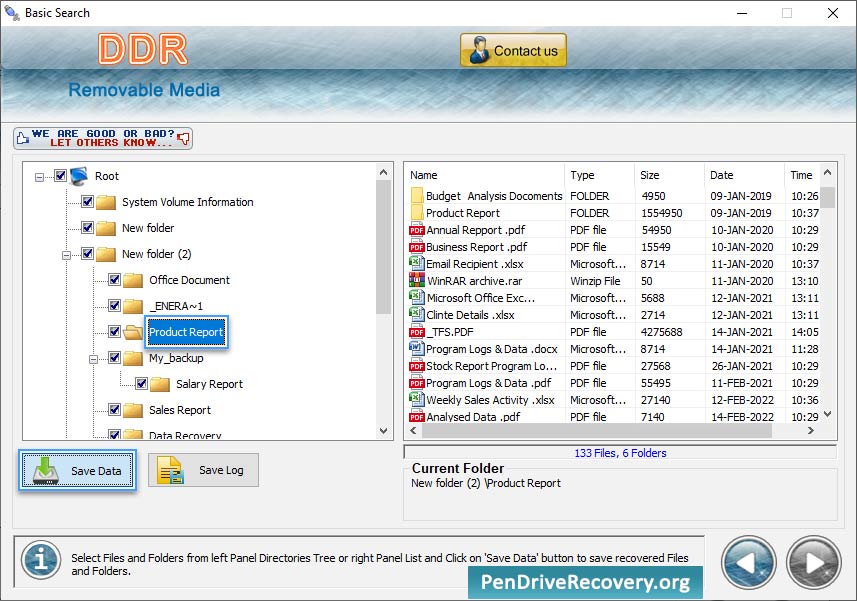
Removable Media Data Recovery Software provides simple interface with easy environment to recover lost images, pictures, music files and other data saved on USB media drives.
Loss of pictures and images is very general issue for the professionals or the users who loose important data due to accidental deletion, formatted drive or other similar reason including:
- Human fault
- Software/hardware failure
- Malicious disk format
- Inaccessible drive
- Logically corrupted media due to software virus
- Crashed media due to power spikes and other similar reasons.
To prevent user from facing such a critical data loss situation we have provided Removable media file salvage utility that facilitates safe and easy restoration of deleted or missed data from variety of removable media devices ranging from video game console to digital USB devices, some of them are:
| Removable |
Media Devices |
| Pen Drive |
Memory cards |
| PDAs |
Mobile communicator |
| Video Games |
Removable electronic devices |
| Mp3 player |
Micro Drive |
| Handheld computers and more... |
|
The file recovery program is capable of retrieving lost data and folders from various removable media attached to your computer system in easiest way and save it at user specified location for future purpose.
Try before buy utility
Try Removable Media Data Recovery Software for free evaluation so that you can assure yourself about the working and efficiency of the cost effective utility before purchasing licensed product online.
Software Features:
Recovery feature
Utility provides fast though easy way to recover lost or deleted files from major USB devices.
File format support
Supports major file format recovery including pictures and images (jpg, jpeg, gif), music, audio/video (mp3, mpeg, wmv) and other documents (doc, txt, ppt, pdf etc) from USB digital devices.
Media support
Software produces superior recovery results with support to major USB storage mass media.
Recovery support even after common system errors
Industry leading utility support easy file recovery even in the situation when many common system errors like ‘Drive not formatted’ displayed while accessing USB media on Desktop PC, Laptop.
Disk scanning methods
Quick and automated disk scanning methods are used to retrieve and restore lost files as they were before data loss.
Best recovery program
Utility has been incorporated with extremely simple GUI interface keeping novice users in mind and provides best alternate to other costly and time-consuming data recovery products.
Minimum system requirements:
- Pentium-class or equivalent Processor
- 12 MB of free space
- RAM (128 MB recommended)
Operating System Supported:
Windows 7, Windows Vista, Windows XP, Windows 2000, Windows Server 2003, Windows Server 2008 etc.
|